
If you’re responsible for deciding whether to invest in automation or modernization, you know that every hour the robot sits is money lost. And when it comes to the return on robotic simulation, the math is simple: your robot either produces or it doesn’t. There is no middle ground.
Let’s talk about how offline scheduling is completely changing the financial calculus of automation and why reducing production downtime is no longer a side benefit, but the standard in 2026.
Why programming your robot directly on line costs more than you think
Let’s get one thing straight: traditional programming (directly on the robot, with the joystick) is like shutting down the factory to train your employees. Sounds absurd, doesn’t it?
But that’s exactly what you do when the programmer sits next to the robot and teaches it point by point, while the production line sits. Every adjustment, every test, every correction means zero production.
What if you have varied, small batch production where product changes are frequent? You lose weeks in a year just on scheduling.
The hidden costs of classic programming:
- Parts not produced during programming
- Overtime for production recovery
- Delivery delays
- Increased risk of collisions and damage to equipment
- Exhausted programmers repeating the same procedures over and over again
Offline scheduling: what your time is really worth
Let’s talk about hard numbers. Industry studies show that offline programming users are reporting reductions of up to 80% in programming time and increasing robot utilization to around 95%.
What does that mean in money?
Let’s say you have a robotic cell that produces parts at 50 lei per part and can make 100 parts per hour when running. If you save 100 hours of downtime per year by switching to offline programming:
100 hours × 100 pieces/hour × 50 lei = 500.000 lei/year
And that’s just recouping lost production. I haven’t factored in reduced engineering hours or damage avoidance yet.
How it works: from line off to line on
The fundamental difference is simple: with offline programming, your robot keeps producing while you develop the next program.
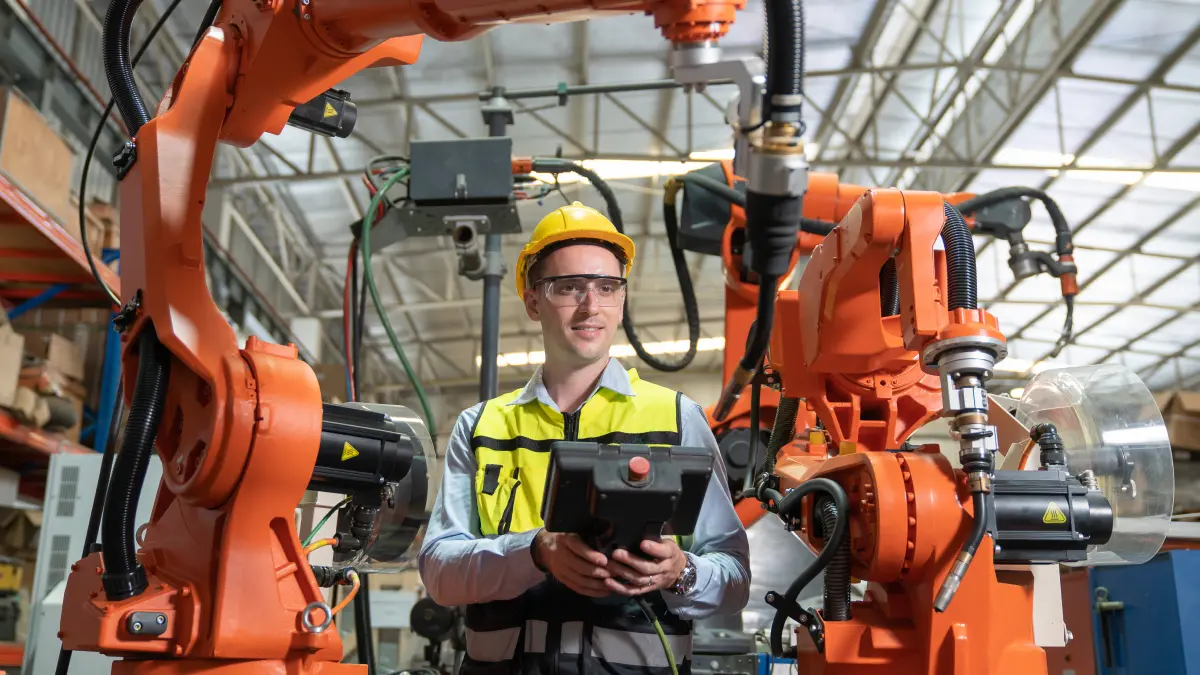
Instead of sitting at the joystick in the factory, you work on the computer with a virtual copy of your airframe (robot, tooling, fixtures, CAD part). You create routes from 3D models, check collisions in the virtual environment, optimize speeds – all on the computer.
When are you ready? Transfer the validated program to the robot controller, do a quick low-speed check on the actual line and start production.
Key differences
| Aspect | Classical programming | Offline programming |
|---|---|---|
| Time when the line stands | 100% – complete stop | ~10% – final check only |
| Duration of program development | 2-3 weeks | 2-4 days |
| Risk of accidents | Great – test on real equipment | Minimal – detected in the virtual environment |
| Cost per product change | Very big | Significantly reduced |
ABB states in its technical documentation that offline scheduling is “the best way to maximize return on investment” because schedules are developed without stopping production.
Figures that matter for the decision
If you need to justify the investment, here are the concrete industry values:
1. Reduce downtime by 80-90%
Integrators in Germany report that offline scheduling can reduce production downtime by a factor of 10. From 100 hours of downtime to less than 10 hours.
2. Up to 10 times faster programming
For varied production environments, speed matters enormously. If you have 50 product variants a year, every day saved in scheduling is multiplied 50 times.
Studies show that offline programming allows you to develop programs up to 10 times faster without stopping production.
3. Quick return on investment
In the documentation on offline scheduling, situations are mentioned where the software pays for itself financially on a single project – due to massive savings in downtime and scheduling hours.
DELMIA and advanced simulation platforms
When it comes to DELMIA and similar enterprise-level platforms, we’re talking about more than just simple offline programming. It’s about simulating and validating industrial processes before physical implementation.
With such platforms you can:
- Build complete virtual models of production lines
- Test the interaction between robots and equipment
- Check the complete sequences before installation
- Optimize speeds and spatial arrangement
- Reduce the risk in the start-up phase from weeks to days
In modern automation, startup and calibration time is a major hidden cost. Without simulation, this phase requires weeks of line tests, adjustments and corrections.
Virtual testing methods allow full testing and optimization before physical installation, significantly reducing the time required in the field.
Calculating cost-effectiveness: the formula that matters
Profitability comes from many sources:
1. Direct savings in downtime
Basic formula:
Economii anuale =
(Ore de oprire evitate) × (Piese/oră) × (Câștig/piesă)
2. Reducing engineering costs
Economii programare =
(Ore economisit) × (Cost pe oră inginer) × (Număr schimbări/an)
3. Avoiding damage and loss
Simulation detects problems before you destroy real equipment. Offline solution providers emphasize that avoiding accidents is an important part of the financial benefits.
Costs avoided:
- Robot and tool repairs
- Parts destroyed during testing
- Unplanned stops due to accidents
4. Faster production start-up
Specialized software vendors report that adoption time for new software can be reduced from weeks to a single day when using offline programming with accurate simulation.
Where it works best
Robotic welding
Robotic welding is the classic application where offline programming brings major benefits. Complex welding paths require hundreds of points and fine adjustments.
Equipment manufacturers’ documentation shows that offline programming in robotic welding applications speeds up programming time by:
- Virtual weld path programming and validation
- Testing media before production
- Faster start-up and fewer adjustments during production
For welding projects, offline scheduling is vital precisely because it reduces long scheduling cycles and downtime during setup.
Varied production
Working with many product variants makes the calculation even more attractive. Each hour saved is multiplied by the number of changes.
Industry studies show that offline programming completely transforms the economic feasibility of small-batch automation, increasing robot use for more product types.
Challenges to avoid: realistic expectations
Now, let’s be serious. Not all implementations achieve 80-90% reduction overnight. Some realities:
1. Learning period
The first 2-3 programs will be slower. Programmers need to learn the new way of working. Plan 1-2 months to reach optimal speed.
2. Quality of 3D models
Offline programming is only as good as your CAD models. If the geometry of the supports is out of date or the cell measurements are inaccurate, you’ll waste time on adjustments.
3. Complexity of the process
For processes that require real-time response (contact forces, continuous adaptation), offline programming may require more repetitions than a purely geometric process.
The realistic approach:
Start with conservative targets (40-50% discount) and build from there. It’s better to exceed expectations than disappoint.
Implementation Strategy
If you need to justify the investment, here’s how to structure your approach:
Step 1: Identify the pilot line
Choose a line with:
- Frequent product changes (high potential benefits)
- Repeatable and well-defined processes (low risk)
- Measurable financial impact (for clear results)
Step 2: Measure the current situation
Set the starting point:
- Program hours per product change
- Hours when the robot stays for programming
- Start-up time for new parts
- Error losses (if relevant)
Step 3: Test and measure
Use conservative targets (40-50% initial reduction, not 80-90%). Identify practical problems: modeling effort, calibration, training.
Step 4: Calculate the benefits
- Quantify annual savings from the test
- Estimates the potential for other lines
- Compare with license, support and training costs
- Includes additional benefits (safety, flexibility) in a qualitative way
Step 5: Decide to extend
If the results are solid, consider it:
- Extension to more lines
- Simulation of production processes at complex enterprise level
What are you doing tomorrow morning
If you’ve read this far, you probably already understand that the cost-effectiveness of robotic simulation and offline programming is worth serious exploration.
Concrete steps:
- Analyze your current lines – Where are you wasting the most hours on appointments and stops?
- Calculate the current situation – Put real figures on today’s costs
- Talk to the experts – Ask for demonstrations on your real parts, not generic examples
- One-line test – 3-6 months with measurable results
- Decide based on data – not on promises, but on your results
At Centerline Romania, we provide robotic simulation and validation services for clients in automotive, metal fabrication and heavy industry. Reducing production downtime by 60-80% is not marketing – it’s reality measured in real factories.
If you’d like to discuss your lines specifically and make a customized calculation, contact us. Your time is money – literally – and every hour of downtime avoided shows directly in the bottom line.
Frequently Asked Questions (FAQ)
How much does an offline programming solution for robots cost?
The cost varies between €5,000 and €50,000 depending on the platform, number of licenses and functionalities. But for most industrial applications, the investment pays back in 6-12 months through savings in downtime and engineering hours.
Can I use offline programming for any type of robot?
Yes, most offline programming platforms support robots from all the major manufacturers (ABB, KUKA, FANUC, Yaskawa, Universal Robots, etc.). They use specific post-processors to generate code compatible with each type of controller.
How long does implementation take?
For a typical pilot line, the typical period is 2-4 weeks: 1 week for modeling and calibration, 1-2 weeks for team training and another week for the first programs and adjustments. After that, the speed increases steadily.
What’s the difference between simulation and offline programming?
Simulation is the virtual testing of robot processes and motions. Offline programming uses simulation to create complete programs that then run on the real robot. Basically, offline programming includes simulation, plus generating the final code for the robot.
Does it work for collaborative robots?
Absolutely. In fact, for collaborative robots working in shared spaces with humans, simulation and validation solutions are even more important to verify safety and avoid risky testing directly on the line.
What if CAD models of parts are not available?
There are two options: 3D scanning to create models of existing parts, or simplified modeling of only the areas relevant to the robot path. For many applications, you don’t need full CAD models – just the critical geometry.
Can I integrate offline programming with existing systems (ERP, MES)?
Yes, modern platforms allow integration with production management systems to import part, order and setup data directly into the programming environment, further reducing setup time.
What happens if the program doesn’t run perfectly on the first run on the real robot?
It is normal to need fine adjustments (5-10% of cases require small corrections). This is why the first run is always done at low speed for verification. But even with these adjustments, the total time is much less than with classical programming.